 FrameMuse
ChatGPT Christmas Photo Prompts (Copy & Paste)
Copy a prompt, or skip it and upload your photo
Copy a free prompt into ChatGPT or make a realistic Christmas photo here. Prefer a cartoon? Try Christmas cartoons →
Free: one watermarked 2K Christmas photo a day. No account needed.
Edit this photo into a warm, candid Christmas Eve photo of us, like a friend snapped it on a real camera at a holiday party.
Full prompt and tips ↓Copied. Paste it into ChatGPT with your photo. Or skip the back-and-forth: upload it here, free
Could not copy. Select and copy the text from the full prompt.
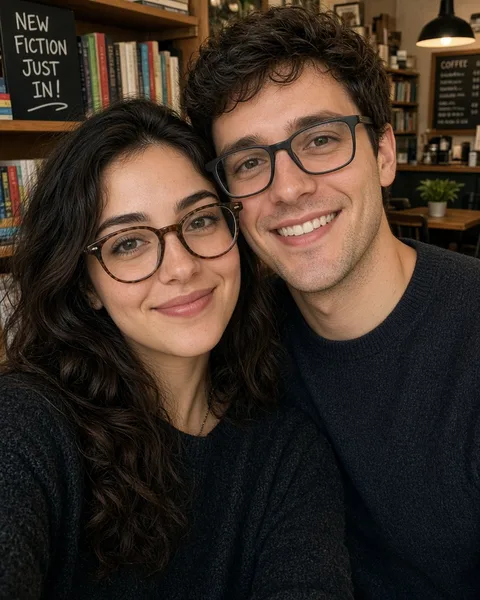
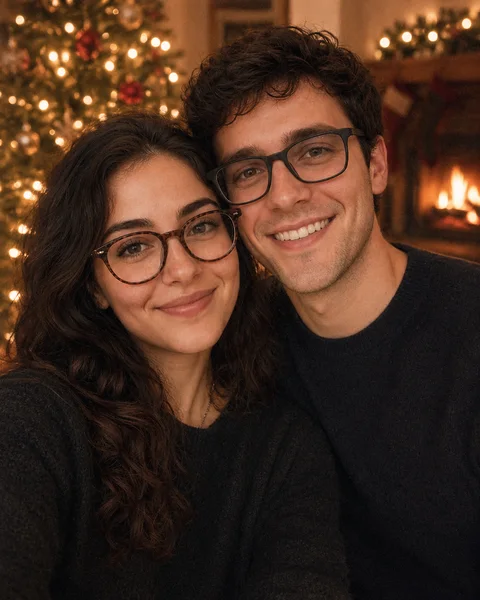
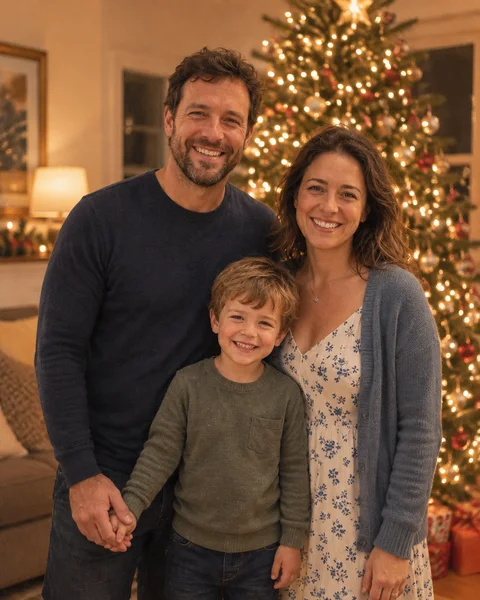
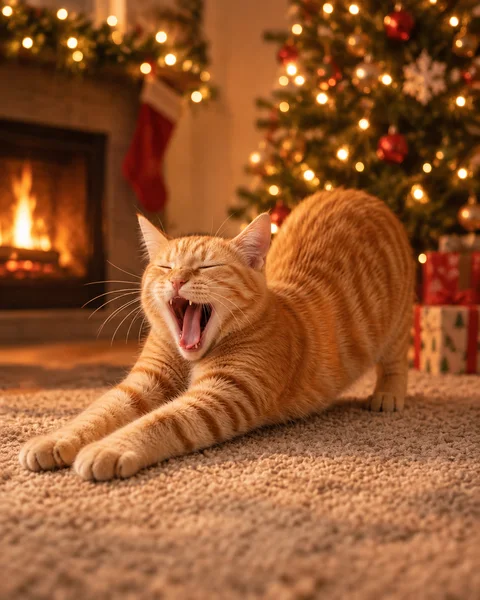
A real before-and-after example made with FrameMuse. Drag to compare.
ChatGPT Christmas photo prompts for couples
Turn a favorite couple photo into a warm Christmas Eve snapshot by the tree or the fireplace, as if a friend took it at a holiday party. The prompt tells ChatGPT to keep your faces, glasses and pose as they are.
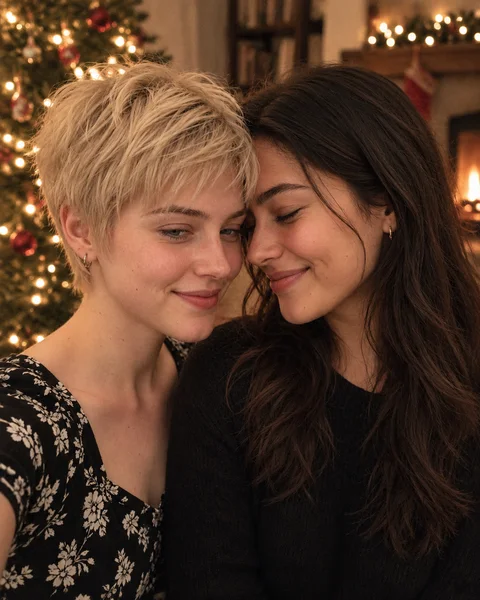
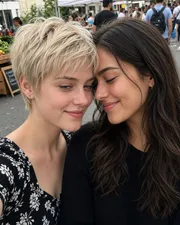
Edit this photo into a warm, candid Christmas Eve photo of us, like a friend snapped it on a real camera at a holiday party.

Change only the background and lighting: a cozy living room at night, next to a decorated Christmas tree or a glowing fireplace, with the string lights melting into soft bokeh. Warm light from one side, subtle 35mm film grain.

Keep everything about us exactly the same: our faces, skin tones, age, expressions, hair, glasses, clothes, and the way we're leaning on or holding each other. Closed eyes stay closed.

No retouching or skin smoothing, no added text, no studio look. Keep the original aspect ratio.
Copied. Paste it into ChatGPT with your photo. Or skip the back-and-forth: upload it here, free
Could not copy. Select and copy the text from the full prompt.
- Upload a clear photo where faces are easy to see, then paste the prompt.
Two ways to get this photo
- In ChatGPT: Paste the prompt with your photo. If a face looks off, retry with the original photo.
- Here: Upload once. One free watermarked 2K photo a day, shared across styles. Failed runs are not charged. You can make a printable Christmas card from your result.
ChatGPT Christmas photo prompts for families
Move a family photo into a cozy living room with a glowing tree. The prompt tells ChatGPT to keep everyone's face and pose as they are, with an optional winter layer for summer outfits.
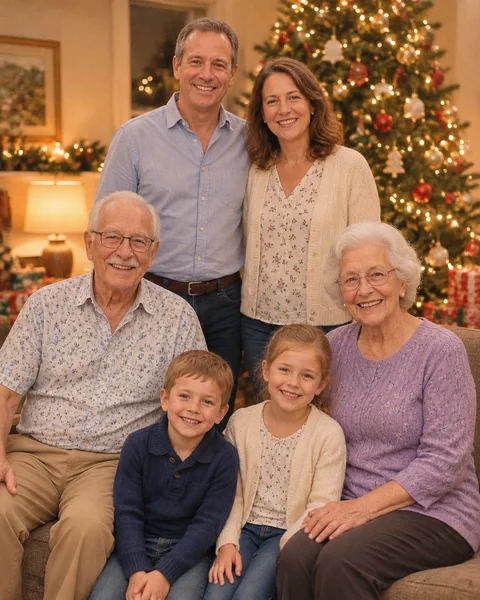
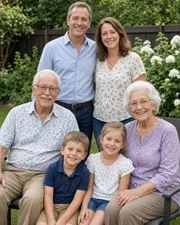
Edit this photo into a warm, candid Christmas Eve photo of our family, like a relative snapped it on a real camera.

Change only the background and lighting: a cozy living room at night with a decorated Christmas tree behind us, the lights melting into soft bokeh. Warm lamp and tree light on everyone, so we look like we were really in that room, with subtle 35mm film grain.

Keep every person exactly the same: faces, skin tones, age, expressions, hair, glasses, clothes, and where everyone stands or sits. Same number of people. Closed eyes stay closed.

No retouching or skin smoothing, no added text, no studio look. Keep the original aspect ratio.
Copied. Paste it into ChatGPT with your photo. Or skip the back-and-forth: upload it here, free
Could not copy. Select and copy the text from the full prompt.
- Upload a clear photo where faces are easy to see, then paste the prompt.
- Photo taken in summer? Add this line at the end of the second paragraph: If anyone is in summer clothes, add a cozy knit cardigan in the same color over their top.
Two ways to get this photo
- In ChatGPT: Paste the prompt with your photo. If a face looks off, retry with the original photo.
- Here: Upload once. One free watermarked 2K photo a day, shared across styles. Failed runs are not charged. You can make a printable Christmas card from your result.
ChatGPT Christmas photo prompts for dogs and cats
Give your dog or cat a Christmas photo on a soft rug under the tree. The prompt tells ChatGPT to keep their breed, coat and markings as they are, with no added accessories.
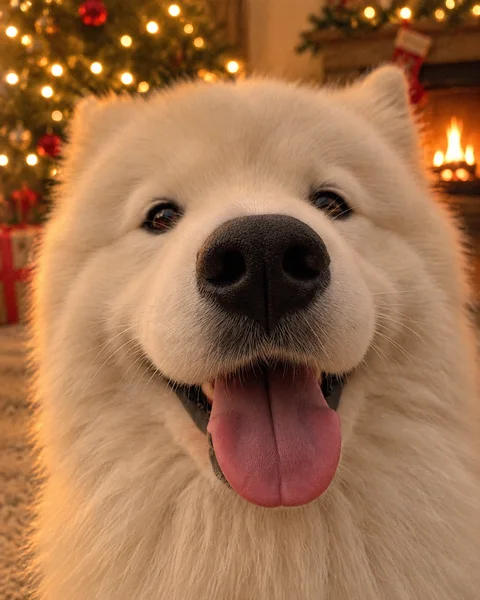
Edit this photo into a warm, candid Christmas photo of my pet at home, like I snapped it on Christmas Eve.

Change only the background and lighting: a cozy living room at night, my pet on a soft rug by a decorated Christmas tree or a glowing fireplace, with the lights melting into soft bokeh. Warm light from one side, subtle 35mm film grain.

Keep my pet exactly the same: breed, face, eye color, coat color and every marking, pose and expression. White fur stays white. Don't add any accessories.

No cartoon look, no added text, no extra animals. Keep the original aspect ratio.
Copied. Paste it into ChatGPT with your photo. Or skip the back-and-forth: upload it here, free
Could not copy. Select and copy the text from the full prompt.
- Upload a clear photo where your pet's face is easy to see, then paste the prompt.
Two ways to get this photo
- In ChatGPT: Paste the prompt with your photo. If a face looks off, retry with the original photo.
- Here: Upload once. One free watermarked 2K photo a day, shared across styles. Failed runs are not charged. You can make a printable Christmas card from your result.
Results vary between AI tools. The examples on this page were made with FrameMuse.
How to keep your face the same
The biggest worry with AI Christmas photos is a face that no longer looks like you. These habits help in ChatGPT and anywhere else.
- Start with a clear, well-lit photo where faces are not too small.
- Ask to change only the background and the lighting, and say plainly that faces, skin tone, age, hair, glasses and pose must not change.
- Avoid asking for new outfits. Swapping clothes is where faces and bodies drift the most.
- Ask for natural skin texture with no smoothing or beautification, so the photo does not look retouched.
- If a face comes out wrong, start again from your original photo instead of editing the result again.
Christmas photo prompt FAQ
How do you make those AI Christmas pictures?
There are two ways. Copy one of the prompts on this page, upload your photo to ChatGPT and paste the prompt. Or skip the prompt: upload your photo here, choose Couple, Family or Pet and generate.
Which prompt keeps my face the same?
No prompt can guarantee it, but you get much closer by asking for a change of background and lighting only, and by listing what must stay: face, skin tone, age, hair, glasses and pose. Every prompt on this page is written that way.
Are these Christmas photo prompts free?
Yes. Copy and use them as often as you like. Generating on FrameMuse is also free once a day as a watermarked 2K image; credits unlock more images, 2K and 4K, without a watermark.
Will my result look exactly like the examples?
Results vary between AI tools and between runs. The examples on this page were made with FrameMuse, which uses its own tuned version of each prompt. The copy-and-paste prompts describe the same scenes.
Can I use the photo for a Christmas card?
Yes. When your photo is ready, choose Make a Christmas card to add a greeting and your names, then download a 5 × 7 in card for printing or a 4:5 version for social media. Cards made from a free image keep the watermark.
My family photo was taken in summer. Will it look odd?
On FrameMuse, the Family theme adds a cozy layer to clearly summer outfits by default, such as shorts or sleeveless tops, and leaves winter clothes alone. Switch to Keep my outfits if you want every outfit to stay exactly as it is.
Prefer a Christmas cartoon?
Turn the same photo into a cheerful Christmas cartoon with a Santa hat, for people and pets.
Try the Christmas cartoon →